I used to think “productivity systems” were something only super-organized people had. You know the type. Color-coded calendars, perfectly named folders, always on top of everything.
Meanwhile I was just trying to remember where I saved a file I created five minutes ago.
But here’s the thing I didn’t expect: most modern professionals don’t actually have some perfect system. They just have a few working habits that quietly hold everything together so the day doesn’t collapse into confusion.
A single source of truth (because memory is not reliable)

This is more important than it sounds.
Most people who feel “on top of things” usually aren’t remembering everything—they’re just storing it in one place they trust.
For a lot of people, that’s tools like Notion, Microsoft OneNote, or even a structured setup inside Microsoft Windows folders combined with cloud storage like Google Drive or OneDrive.
The point isn’t the tool. It’s the rule: everything goes somewhere predictable.
No “I’ll remember this later.” That never works as well as we think it will.
Task managers that quietly replace mental overload
I used to keep tasks in my head. Bad idea. It works until it suddenly doesn’t, usually at the worst time.
Modern workflows push everything into task tools—simple lists, nothing fancy required. Microsoft To Do, Todoist, even basic notes apps.
The shift is small but important: your brain stops being storage and starts being execution.
And honestly, that feels lighter than expected.
Calendar blocking that looks strict but actually reduces stress
I resisted this one for a while because it felt too “corporate.”
Blocking time on a calendar for focused work, meetings, even breaks… it sounded like overkill.
But then I tried it and realized something simple: if you don’t assign time to things, they just float around and interrupt everything else.
Tools like Google Calendar or Microsoft Outlook quietly keep the day from turning into chaos.
Browser workflows that most people underestimate
This is where a lot of time disappears without people noticing.
Modern professionals don’t just “browse.” They structure it.
Bookmarks, tab groups, saved research folders, even extensions that manage distractions. Some people even separate work and personal browsing completely.
It sounds small, but uncontrolled tabs can quietly become a second job you didn’t ask for.
Cloud syncing everywhere (and you only notice when it breaks)
I didn’t appreciate cloud systems until I lost access to a file on one device and realized how fragile local storage feels in comparison.
Now everything is synced—documents, notes, projects—through tools like Google Drive, OneDrive, or similar services.
When it works, you don’t think about it. When it doesn’t, you suddenly realize how dependent you’ve become on it.
Automation for repetitive work that nobody wants to repeat
This is where experienced users quietly separate themselves from beginners.
They don’t keep doing the same small tasks manually.
File backups, email filters, templates, auto-sorting downloads, scheduled reports—small automations that remove friction from everyday work.
Nothing dramatic. Just less repetition.
Digital note systems that actually survive busy days
Modern professionals don’t rely on memory or random scraps of paper anymore.
They keep structured notes—meeting summaries, ideas, references, tasks—all stored in one searchable place.
The real value isn’t writing things down. It’s being able to find them later without thinking too hard.
Notification control as a productivity skill
This one gets ignored a lot, but it matters more than people admit.
Constant pings destroy focus in small ways that add up over time.
So the system most people end up with is simple: only critical notifications are allowed. Everything else waits.
It doesn’t feel extreme. It just feels calmer.
Device consistency across work and life
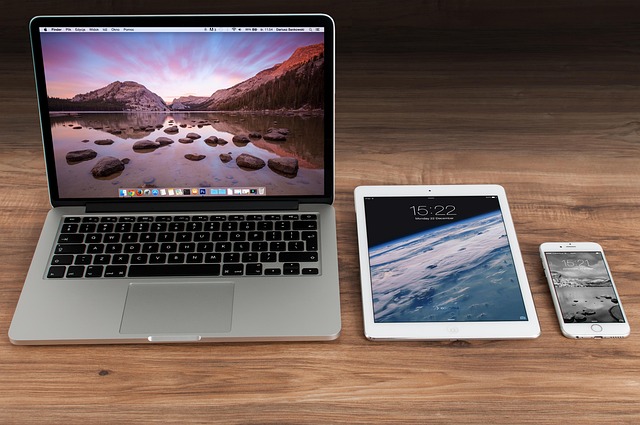
Another quiet habit: everything looks and behaves the same across devices.
Same files. Same notes. Same structure. Whether it’s laptop, phone, or tablet.
This removes the “where is this thing again?” problem that eats time more than people realize.
The real system underneath everything
If you strip it all down, it’s not really about apps or tools.
It’s about reducing the number of decisions you have to make just to start working.
Where is this file? What tool do I use? Did I save this somewhere? What was I doing again?
Modern productivity systems exist to quietly remove those questions.
Not perfectly. Not magically. Just enough that you stop losing hours to friction you didn’t even notice was there.