
Remote work doesn’t become easier—it just becomes less chaotic when you stop trying to remember everything in your head
There’s a version of remote work that looks calm from the outside. Laptop, coffee, focus, done.
Then there’s the real version. Notifications everywhere. Files in five places. Meetings you forgot about until someone messages “are you joining?”
And somehow, you’re supposed to keep all of that organized using… your brain.
That’s where tools come in. Not as a magic fix. More like external memory for a life that moves too fast to track manually.
Slack — where work conversations never really pause
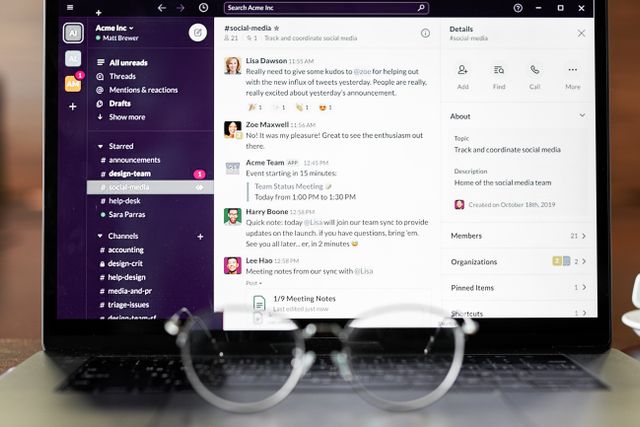
Slack is basically the central hallway of remote teams. Except the hallway never closes.
It helps a lot: channels keep things organized, threads keep conversations from exploding, and search saves you when you inevitably forget where something was said.
But it also never really stops moving. Messages come in constantly, and your attention gets pulled in small directions all day.
Still, without it, everything would scatter across emails and random apps. So it’s noisy, but necessary.
Notion — the place where planning and procrastination look the same
Notion has this weird effect where opening it already feels productive.
You go in for one task and suddenly you’re building dashboards, organizing pages, and restructuring things that were fine yesterday.
It’s easy to get lost in setup instead of execution. But when you keep it simple, it becomes one of the few places where notes, tasks, and ideas can actually live together instead of being spread across ten different tools.
Google Drive — the quiet system nobody thinks about until it breaks
Google Drive is not exciting, and that’s exactly why it works.
It holds documents, spreadsheets, presentations, shared files—everything just sits there while people collaborate in real time without thinking too hard about it.
And yes, version names like “final_final2_realfinal.docx” still exist. That part never changes.
Zoom — where remote meetings became normal (and slightly awkward)
Zoom is just part of work life now.
It’s not perfect. People talk over each other, mute issues happen constantly, and there’s always that small delay that makes conversations feel slightly off.
But it does one important thing well: it brings people into the same space when they’re actually nowhere near each other.
Trello — simple structure for messy thinking
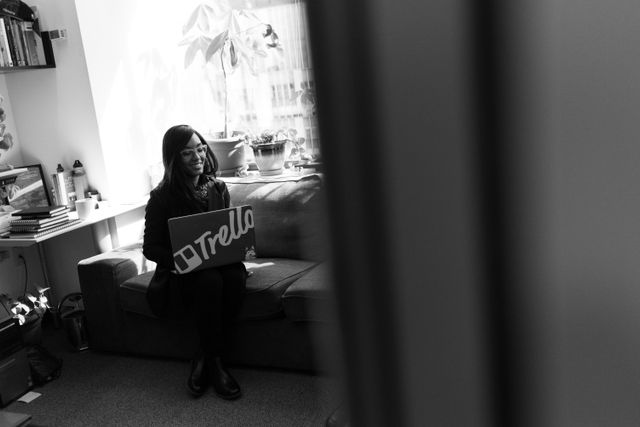
Trello works because it doesn’t try to be clever.
Cards move from one column to another. That’s it. And somehow that simplicity makes tasks feel more manageable than long to-do lists ever do.
There’s something oddly satisfying about dragging something into “done,” even if you technically finished it earlier and just needed to mark it properly.
Microsoft Teams — not loved, but deeply used
Microsoft Teams is one of those tools people don’t usually choose emotionally.
It shows up in workplaces because it’s bundled into systems, and then slowly becomes where everything happens: chats, meetings, files, planning.
It can feel heavy sometimes, but it keeps everything under one system, which is often what matters most in structured environments.
Time tracking tools — the honest version of your workday

Apps like Toggl or Clockify don’t judge you. They just record reality.
You think you worked five focused hours. The breakdown might say otherwise—lots of switching, interruptions, and those weird gaps where nothing clearly happened.
It’s uncomfortable at first. Then it becomes useful. Then you ignore it until you need clarity again.
So what actually makes remote work easier?
It’s not one app. It’s the combination.
Communication tools reduce confusion. Storage tools reduce chaos. Planning tools reduce mental overload. And together, they stop work from spreading everywhere at once.
Remote work doesn’t become effortless. It just becomes structured enough that you can actually focus on the work instead of constantly chasing where everything went.